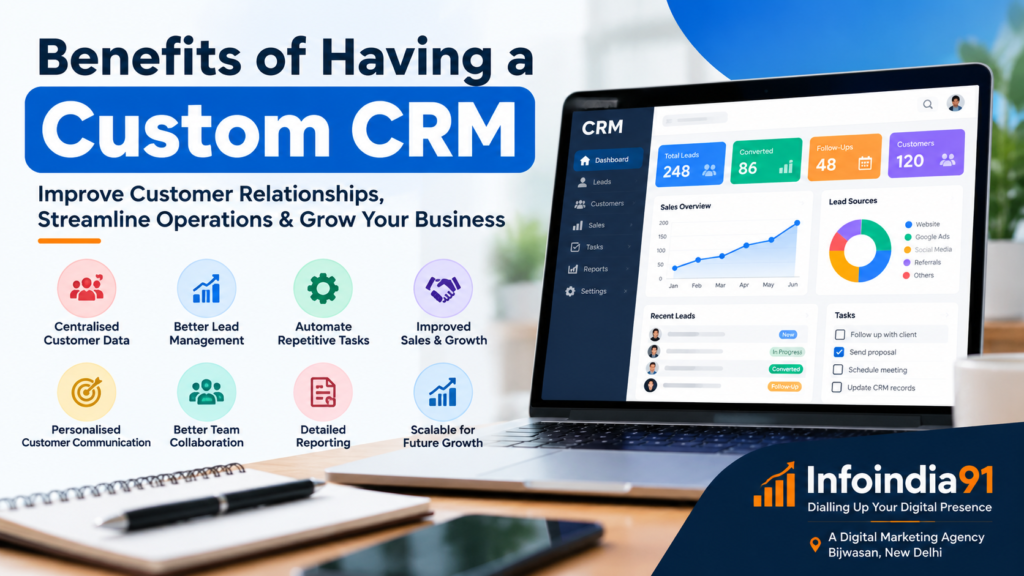
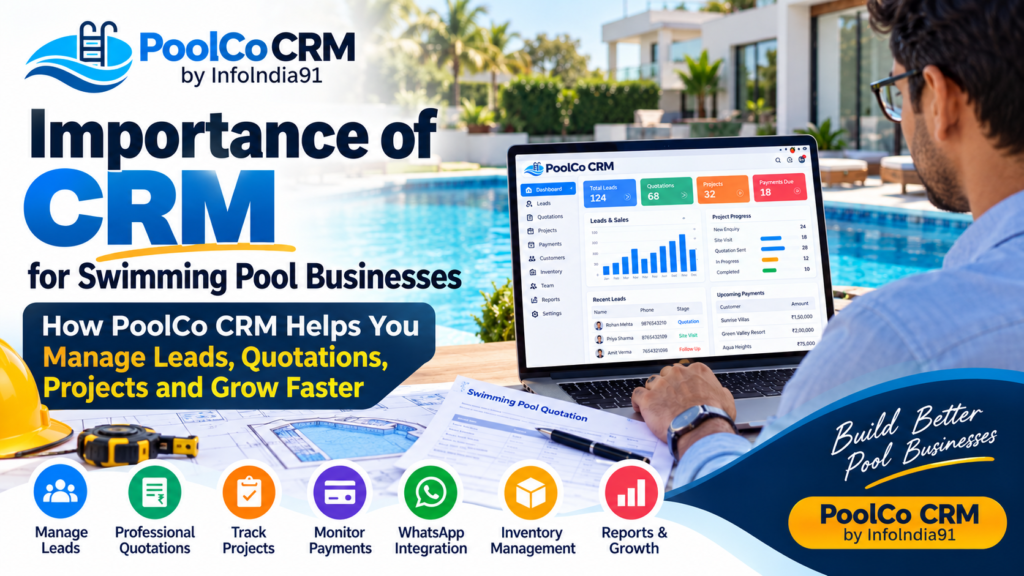
CRM Kya Hai aur Business Ke Liye CRM Kitna Important Hai? Complete Guide for Small, Medium & Big Businesses
Aaj ke competitive business environment mein sirf customers lana hi enough nahi hai. Customers ko properly manage karna, unke saath relationship maintain karna, leads ko follow-up karna aur sales process ko track karna bhi utna hi important hai.
Chahe aapka business small, medium ya large ho, jaise-jaise customers aur enquiries badhti hain, manually customer information manage karna difficult hota chala jata hai.
Yahin par CRM – Customer Relationship Management ka role shuru hota hai.
CRM business ko sirf customer data store karne mein help nahi karta, balki lead generation se lekar follow-up, sales, customer support aur long-term relationship management tak poore customer journey ko organized banane mein help karta hai.
Agar aapka business multiple sources se leads receive karta hai—jaise Website, Google, Instagram, Facebook, WhatsApp, Google Ads, Meta Ads, referrals ya phone calls—to CRM aapke business ke liye ek powerful management system ban sakta hai.
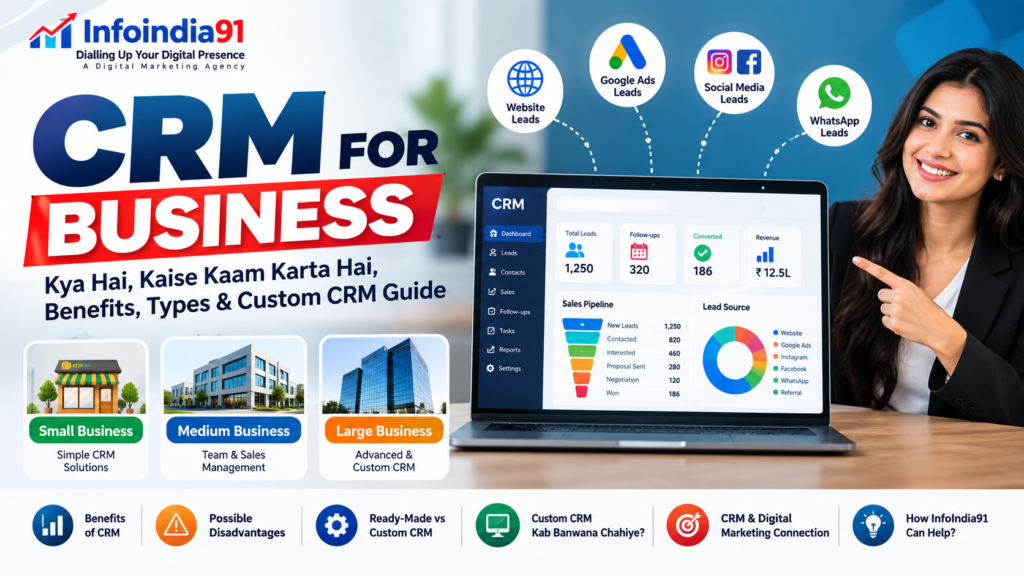
CRM Kya Hai?
CRM ka full form hai – Customer Relationship Management.
Simple language mein:
CRM ek software/system hai jiske through business apne customers, leads, enquiries, follow-ups, sales aur customer interactions ko ek organized platform par manage karta hai.
For example, maan lijiye aap ek business owner hain aur aapko ek din mein 30 enquiries milti hain.
Kuch enquiries Instagram se aayi, kuch WhatsApp se, kuch website form se aur kuch Google Ads se.
Agar aap sabhi information ko Excel, WhatsApp chats, notebooks aur phone contacts mein alag-alag manage karenge, to kuch leads ka follow-up miss ho sakta hai.
CRM in sabhi leads ko ek centralized system mein organize kar sakta hai.
Aap dekh sakte hain:
- Customer ka naam
- Mobile number
- Lead source
- Requirement
- Enquiry date
- Sales executive
- Follow-up date
- Lead status
- Deal value
- Previous communication
- Next action
- Payment status
- Customer history
Isse business ko “Lead aayi → Follow-up hua → Sales hui → Customer bana → Repeat business” poori journey ko track karne mein help milti hai.
CRM Kaise Kaam Karta Hai?
CRM ko simple example se samajhte hain.
Maan lijiye aap ek Digital Marketing Agency chala rahe hain.
Ek potential customer aapki website par enquiry form fill karta hai.
CRM system mein automatically lead create ho sakti hai:
Lead Name: Rahul Sharma
Service: Google Ads
Source: Website
Date: 4 October
Status: New Lead
Assigned To: Sales Executive
Next Follow-up: 5 October
Sales executive customer se baat karta hai.
Lead ka status update ho sakta hai:
New Lead → Contacted → Interested → Proposal Sent → Negotiation → Won/Lost
Agar customer service purchase karta hai, to CRM mein deal Won mark ki ja sakti hai.
Agar customer future mein dobara service leta hai, to uska previous record bhi available reh sakta hai.
Is tarah CRM business ke sales process ko structured banata hai.
CRM Business Ke Liye Important Kyon Hai?
Aaj ke time mein customers ke paas bahut options hain.
Agar customer ne enquiry ki aur business ne 2–3 din tak response nahi diya, to customer kisi competitor ke paas ja sakta hai.
CRM ka major objective hai:
Right Customer + Right Information + Right Follow-up + Right Time
CRM ki importance ko kuch major points se samjha ja sakta hai.
1. Lead Management
CRM incoming leads ko organize karne mein help karta hai.
Aap identify kar sakte hain:
- Kitni leads aayi?
- Leads kahan se aayi?
- Kaunsi leads active hain?
- Kaunsi leads follow-up mein hain?
- Kaunsi leads convert hui?
- Kaunsi leads lost hui?
2. Follow-Up Management
Business mein follow-up bahut important hota hai.
Lekin manually follow-up manage karna difficult ho sakta hai.
CRM ke through sales team ko follow-up dates aur pending activities track karne mein help mil sakti hai.
Isse:
“Customer ko call karna tha, lekin yaad nahi raha.”
jaise problems reduce ho sakti hain.
3. Customer Data Centralize Karna
CRM customer information ko ek centralized location par organize karta hai.
Iska benefit ye hai ki customer ke baare mein information alag-alag employees ke paas scattered nahi rehti.
4. Sales Pipeline Management
CRM ke through business apni sales pipeline ko visualize kar sakta hai.
Example:
100 Leads
↓
60 Contacted
↓
35 Interested
↓
20 Proposal Sent
↓
10 Negotiation
↓
7 Customers
Is data se business ko apne sales process ko samajhne mein help milti hai.
Small Business Ke Liye CRM
Bahut se small business owners sochte hain:
“Hamara business chhota hai, CRM ki kya zarurat?”
Lekin small business ke liye bhi CRM useful ho sakta hai—especially jab enquiries aur customers badhne lagte hain.
Examples:
- Local service businesses
- Digital marketing agencies
- Coaching institutes
- Real estate businesses
- Clinics
- Salons
- Interior designers
- Manufacturers
- Distributors
- E-commerce businesses
- Consultants
- B2B service providers
Small business ke liye CRM ka objective complicated system banana nahi hona chahiye.
Simple CRM mein bhi ye features kaafi useful ho sakte hain:
- Lead management
- Customer database
- Follow-up reminders
- Sales tracking
- WhatsApp/Email integration
- Basic reporting
Medium Business Ke Liye CRM
Medium-sized businesses mein employees, customers aur leads ki quantity comparatively zyada hoti hai.
Yahan CRM aur important ho jata hai.
Medium businesses CRM ka use kar sakte hain:
- Multiple sales teams manage karne ke liye
- Sales executives ko leads assign karne ke liye
- Follow-ups track karne ke liye
- Sales pipeline monitor karne ke liye
- Customer history maintain karne ke liye
- Performance reports generate karne ke liye
- Marketing campaigns ke leads track karne ke liye
Example:
Aap Google Ads aur Meta Ads chala rahe hain.
CRM ke through aap compare kar sakte hain:
Google Ads → Leads → Qualified Leads → Sales
versus
Meta Ads → Leads → Qualified Leads → Sales
Isse marketing aur sales teams ko better business insights mil sakte hain.
Big Business Ke Liye CRM
Large organizations mein CRM ka role aur complex ho sakta hai.
Big businesses mein:
- Thousands of customers
- Multiple departments
- Multiple sales teams
- Different locations
- Large marketing campaigns
- Customer support teams
- Multiple products/services
ho sakte hain.
CRM ke through departments ke beech customer information share aur organize karna easier ho sakta hai.
Large organizations CRM ko integrate kar sakti hain:
- Marketing automation
- Sales automation
- Customer support
- Email marketing
- Website
- Payment systems
- ERP
- Accounting systems
- Analytics platforms
ke saath, depending on their requirements and technology stack.
Business Ko CRM Kab Lena Chahiye?
CRM lene ke liye koi fixed turnover ya employee number nahi hota.
Actually question ye nahi hona chahiye:
“Mera business kitna bada hai?”
Question hona chahiye:
“Mere customer aur sales process ko manually manage karna ab kitna difficult ho raha hai?”
Agar aapko regularly ye problems face ho rahi hain, to CRM consider karna useful ho sakta hai:
- Leads miss ho rahi hain
- Follow-ups bhool jaate hain
- Customer data Excel mein scattered hai
- Multiple employees same customer ko contact kar rahe hain
- Sales pipeline clear nahi hai
- Lead source track nahi hota
- Customer history easily available nahi hai
- Management ko sales report manually banani padti hai
- WhatsApp, website aur social media leads alag-alag manage ho rahi hain
- Sales team ki performance track karna difficult hai
CRM Lene Se Pehle Business Ko Kya Sochna Chahiye?
CRM purchase karne se pehle sirf software ki price nahi dekhni chahiye.
Business ko ye questions bhi consider karne chahiye:
1. Hume CRM ki actual need kya hai?
Lead management?
Sales?
Customer support?
Marketing automation?
Ya all-in-one system?
2. Kitne users CRM use karenge?
5?
20?
100?
3. Kaunse integrations required hain?
Website?
WhatsApp?
Email?
Meta?
Google?
Payment?
Accounting?
4. Data security kaise manage hogi?
Customer data business ke liye valuable asset hota hai.
5. Future mein CRM scale hoga ya nahi?
Business grow hone par CRM bhi grow karna chahiye.
CRM Ke Major Benefits
1. Better Lead Management
Har lead ko systematically track karne mein help milti hai.
2. Faster Follow-Up
Follow-up activities organized hone se response process improve ho sakta hai.
3. Better Sales Tracking
Management ko sales pipeline ka clearer view milta hai.
4. Customer History
Customer ke previous interactions aur transactions ka record maintain kiya ja sakta hai.
5. Team Collaboration
Sales aur customer service teams customer information ko shared system mein access kar sakti hain.
6. Better Reporting
Management ko reports aur dashboards ke through performance samajhne mein help mil sakti hai.
7. Marketing ROI Understanding
Lead source aur conversion data ko connect karke marketing campaigns ko evaluate karna easier ho sakta hai.
8. Productivity
Repeated manual work ko automate karke team ka time save kiya ja sakta hai.
CRM Ke Possible Disadvantages / Losses
CRM powerful tool hai, lekin iska matlab ye nahi ki har CRM har business ke liye automatically beneficial hoga.
Wrong CRM choose karne par problems bhi ho sakti hain.
1. Initial Cost
CRM software ke subscription, setup, customization aur integration par cost aa sakti hai.
2. Employee Training
Employees ko CRM use karna sikhana padta hai.
3. Implementation Time
CRM implement karne mein time lag sakta hai.
4. Wrong Data Entry
Agar team CRM mein incomplete ya incorrect information enter kare, to reports aur follow-up process affect ho sakta hai.
5. Over-Complex CRM
Agar small business ko unnecessarily complicated CRM de diya jaye, to employees uska proper use nahi kar paate.
6. Integration Problems
Existing website, software, WhatsApp, accounting system ya other platforms ke saath integration technical challenges create kar sakta hai.
7. Data Security Risk
Customer data sensitive business information ho sakta hai. Isliye access control, authentication, backups aur security practices important hain.
Isliye CRM lene ka objective sirf “CRM hona” nahi, balki business process ko genuinely improve karna hona chahiye.
Ready-Made CRM vs Custom CRM
Business ke paas generally do approaches hoti hain:
Option 1: Ready-Made CRM
Existing CRM software use karna.
Isme already features available hote hain.
Examples of features:
- Contact management
- Lead management
- Sales pipeline
- Reports
- Automation
- Tasks
- Customer support
Option 2: Custom CRM
Business ki exact requirements ke according CRM develop karwana.
Custom CRM mein business decide kar sakta hai ki system mein:
- Kaunse modules honge
- Kaunse fields honge
- Kaunse workflows honge
- Kaunse reports honge
- Kaunse integrations honge
- Kis employee ko kya access milega
Custom CRM Kab Banwana Chahiye?
Custom CRM har business ke liye necessary nahi hota.
Custom CRM tab consider kiya ja sakta hai jab:
1. Existing CRM Business Process Match Nahi Karta
Aapka workflow unique hai aur ready-made CRM usko properly support nahi karta.
2. Too Many Custom Requirements
Aapko highly specific modules aur workflows chahiye.
3. Multiple Systems Integrate Karne Hain
Website + WhatsApp + Marketing + Sales + Accounting + Internal software ko ek system mein connect karna ho.
4. Business Scale Bada Ho Raha Hai
Business rapidly grow kar raha ho aur generic system limitations create kar raha ho.
5. Data & Access Control Important Hai
Business ko highly customized user roles and permissions ki need ho.
6. Long-Term Ownership Important Hai
Business apne workflow aur technology par greater control chahta ho.
Custom CRM Banwane Se Pehle Ye Mistake Na Karein
Bahut businesses custom CRM banwane ke process mein ek common mistake karte hain:
“Pehle software banao, baad mein business process dekhenge.”
Iske opposite approach better hoti hai:
Business Process → Requirements → CRM Structure → Development → Testing → Training → Implementation
Pehle identify karein:
- Lead kahan se aa rahi hai?
- Lead kaun receive karega?
- Lead kis employee ko assign hogi?
- Follow-up kab hoga?
- Sales stages kya hain?
- Customer convert hone ke baad kya hoga?
- Customer support kaise manage hoga?
- Management ko kaunsi reports chahiye?
Uske baad CRM design karna chahiye.
Digital Marketing Aur CRM Ka Connection
Aaj ke time mein digital marketing aur CRM ko alag-alag systems samajhna incomplete approach ho sakta hai.
Digital marketing ka objective hota hai:
Reach → Traffic → Leads → Customers
CRM ka role hota hai:
Leads → Follow-Up → Sales → Customer Relationship → Repeat Business
For example:
Aap Meta Ads chalate hain.
Ad dekha → Website visit → Enquiry form → Lead CRM mein → Sales executive follow-up → Customer → Repeat purchase.
Yahan digital marketing lead generate karta hai aur CRM lead ko systematically manage karne mein help karta hai.
InfoIndia91 CRM Mein Kaise Help Kar Sakta Hai?
InfoIndia91 – Dialling Up Your Digital Presence ek digital marketing agency hai jo businesses ko online visibility, lead generation, website development aur digital growth solutions ke through support karti hai.
CRM ke context mein InfoIndia91 ka role sirf software develop karna nahi, balki business ke digital marketing aur lead-management process ko CRM ke saath connect karne par focus kar sakta hai.
Agar business already digital marketing kar raha hai, to CRM strategy ko lead generation process ke saath connect karna particularly useful ho sakta hai.
InfoIndia91 Ke Through Custom CRM Banwane Ke Possible Benefits
1. Business-Specific CRM
Generic CRM ke instead business ki actual requirements ke according system structure kiya ja sakta hai.
Example:
Agar aap real estate business hain, to CRM mein:
Property → Lead → Site Visit → Negotiation → Booking
workflow ho sakta hai.
Agar aap coaching institute hain:
Enquiry → Counselling → Demo → Admission → Fee → Student
workflow create kiya ja sakta hai.
Agar aap digital marketing agency hain:
Lead → Consultation → Proposal → Negotiation → Client → Campaign → Reporting
workflow useful ho sakta hai.
2. Website + CRM Integration
Aapki website par enquiry form ko CRM ke saath connect kiya ja sakta hai.
Customer form submit kare:
Website Form → CRM → Lead Assignment → Follow-Up
Isse manual data entry reduce ho sakti hai.
3. Digital Marketing Leads Ko CRM Mein Manage Karna
Digital marketing campaigns se generate hone wali leads ko CRM workflow mein organize kiya ja sakta hai.
Example:
Google Ads
→ Lead
→ CRM
→ Sales Team
→ Follow-Up
→ Conversion
Isi tarah:
Meta Ads
→ Lead
→ CRM
→ Sales Team
→ Follow-Up
→ Conversion
4. Lead Source Tracking
CRM mein lead source track karna business ke liye valuable ho sakta hai.
Example:
| Lead Source | Leads | Converted |
|---|---|---|
| Google Ads | 100 | 15 |
| Meta Ads | 150 | 18 |
| Website SEO | 70 | 20 |
| Referral | 30 | 12 |
Is type ke data se business ko marketing aur sales performance samajhne mein help mil sakti hai.
5. Sales Team Management
Management dekh sakta hai:
- Kis employee ko kitni leads mili?
- Kitni leads contact hui?
- Kitni leads pending hain?
- Kitni converted hui?
- Kitni lost hui?
- Follow-ups kitne pending hain?
Isse sales process ko more systematically manage kiya ja sakta hai.
6. Custom Dashboard
Business ke according dashboard create kiya ja sakta hai.
For example:
Total Leads
New Leads
Follow-Ups Today
Qualified Leads
Open Deals
Converted Customers
Lost Leads
Revenue
Lead Sources
Sales Performance
Ek dashboard mein important business metrics ko organize kiya ja sakta hai.
7. Future Scalability
Agar business aaj 5 employees se operate kar raha hai aur future mein 50 employees tak grow karta hai, to CRM ko business requirements ke according scale karne ki planning ki ja sakti hai.
8. CRM + Digital Marketing Strategy
InfoIndia91 jaise digital marketing partner ke saath CRM ko integrate karne ka ek important benefit ye ho sakta hai ki marketing aur lead management ko ek broader growth system ke part ke roop mein plan kiya ja sake.
Sirf leads generate karna enough nahi hai.
Business ko ye bhi samajhna hota hai:
Lead kahan se aayi?
Lead qualified thi ya nahi?
Follow-up hua ya nahi?
Customer bana ya nahi?
Customer ki value kitni thi?
Ye data future marketing decisions ko inform kar sakta hai.
CRM + SEO + Google Business Profile + Ads
Aaj ek customer business tak multiple digital channels se pahunch sakta hai.
Example:
Google Search
↓
Google Business Profile
↓
Website
↓
Enquiry
↓
CRM
↓
Sales Team
↓
Customer
Similarly:
↓
Meta Ads
↓
WhatsApp/Website
↓
CRM
↓
Follow-Up
↓
Customer
Isliye modern business ke liye CRM ko broader digital ecosystem ka part banana useful ho sakta hai.
Kya Har Business Ko Custom CRM Chahiye?
Nahi.
Ye bahut important point hai.
Har business ko custom CRM ki zarurat nahi hoti.
Agar business ki requirements simple hain, to existing CRM software sufficient ho sakta hai.
Custom CRM tab consider karna chahiye jab:
Business Requirements > Ready-Made CRM Capabilities
Yaani jab existing CRM business ke workflow ko efficiently support nahi kar pa raha ho.
CRM Choose Karne Ka Simple Formula
Business apni requirement ko is tarah evaluate kar sakta hai:
Small Business
Basic Lead Management + Follow-Up + Customer Database
↓
Simple CRM
Medium Business
Lead Management + Sales Pipeline + Team Management + Reports + Integrations
↓
Advanced CRM
Large / Complex Business
Multiple Departments + Custom Workflow + Integrations + Advanced Reporting + Access Control
↓
Enterprise / Custom CRM
CRM Sirf Software Nahi, Business Process Hai
Ek important baat samajhna zaroori hai:
CRM software kharidne se business automatically organized nahi ho jata.
CRM tab effective hota hai jab:
People + Process + Technology + Data
properly work karein.
Agar sales team CRM update hi nahi karegi, to expensive CRM bhi useful data provide nahi karega.
Isliye CRM implementation ke saath:
- Employee training
- Clear sales process
- Data-entry rules
- User permissions
- Follow-up process
- Reporting structure
bhi define karna important hai.
Final Thoughts
Aaj ke competitive business environment mein customer information aur lead management ko properly organize karna business growth ka important part ban chuka hai.
Small business ke liye CRM customer aur leads ko organized rakhne mein help kar sakta hai.
Medium business ke liye CRM sales teams, follow-ups aur reporting ko systematically manage karne mein useful ho sakta hai.
Large business ke liye CRM multiple departments, locations, customers aur complex workflows ko manage karne mein important role play kar sakta hai.
Lekin CRM choose karte waqt sirf features ya price ko nahi dekhna chahiye. Business ko apni actual requirements, workflow, team size, integrations, scalability, security aur budget ko consider karna chahiye.
Aur jab ready-made CRM business ki specific requirements ko efficiently fulfill na kare, tab custom CRM development ek option ho sakta hai.
InfoIndia91 – “Dialling Up Your Digital Presence” businesses ko digital marketing, website development, lead generation aur digital solutions ke broader ecosystem mein support karta hai. CRM ko digital marketing strategy ke saath connect karke businesses apne leads ko better organize karne aur marketing se sales tak ke journey ko systematically track karne ki direction mein kaam kar sakte hain.
Ready to Build a Smarter Customer Management System?
Agar aapke business mein leads badh rahi hain, follow-ups manage karna difficult ho raha hai, customer data scattered hai ya existing CRM aapke workflow ke according kaam nahi kar raha, to apni requirements ko properly analyze karke CRM solution plan karna next step ho sakta hai.
InfoIndia91 – Dialling Up Your Digital Presence
A digital marketing agency helping businesses build their digital presence, generate leads and create technology-driven growth solutions.
Website: infoindia91.com